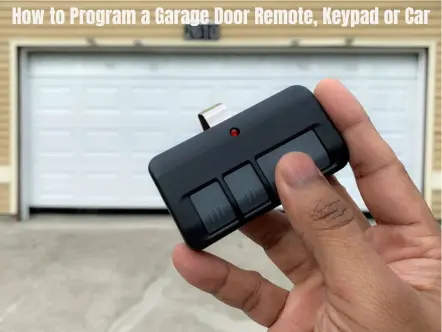
To program a garage door remote, put the opener into learn mode with the Learn button on the motor unit, then press the button on the remote you want to use. On most LiftMaster and Chamberlain openers, the opener light blinks or you hear two clicks when it works. The exact steps depend on your opener and remote, so keep your owner’s manual handy. Keypads and car buttons like HomeLink follow the same idea.
Before you start, clear the doorway of people, pets and cars, and stay where you can see the door. It may move while you work.
Before you start
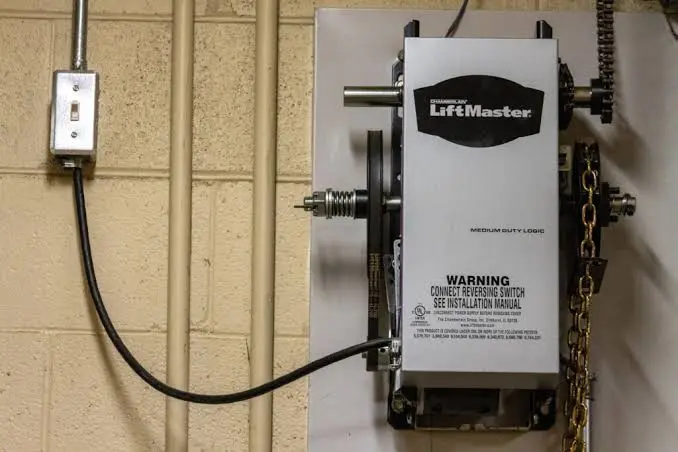
- Find the Learn button. It is usually a small button on the back or side of the motor unit, often next to a small light. Some brands call it Program or Smart. You will likely need a stepladder to reach it.
- Press and release. Do not hold. A quick press starts learn mode. Holding the button for about six seconds erases every remote and keypad the opener knows.
- Check the remote. Put in a fresh battery and make sure the remote works with your opener. Many older remotes do not work with newer openers, and opener makers list matching remotes on their support sites.
How to program a LiftMaster or Chamberlain remote
These are the basic steps from LiftMaster’s own instructions. Your model’s manual has the final word.
- Press and release the Learn button on the motor unit. The light next to it stays on for about 30 seconds.
- While the light is on, press and hold the button on the remote you want to use.
- Let go when the opener light blinks or you hear two clicks.
- Press the remote button again to test it. The door should move.
If it does not work, wait for the Learn light to go out and start again from step 1. Some wall controls and Wi-Fi openers also let you add a remote without climbing the ladder. Your manual will tell you if yours can.
How to program a Genie remote
Genie openers use a Program or Learn Code button on the motor unit. You put the opener into learn mode, then press the remote button you want to use, often more than once, until the opener lights confirm it. The button name and the light signals change from model to model, so follow the steps in your Genie manual or on Genie’s support site.
How to set up a garage door keypad
A wireless keypad works much like a remote. You put the opener into learn mode, then enter a PIN on the keypad and confirm it. The exact buttons differ between keypad models, so use the instructions that came with your keypad.
Pick a PIN that is hard to guess, and change it if too many people know it.
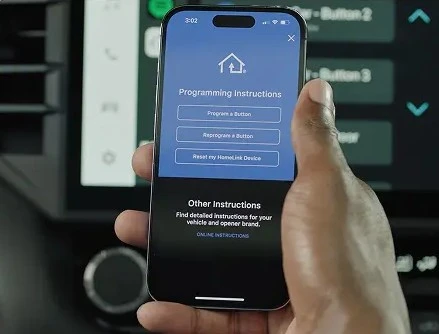
How to program your car’s HomeLink buttons
Many cars have HomeLink buttons on the mirror, the visor or the overhead console. Park outside the garage, facing the door, and use a stepladder, never the car, to reach the opener.
- Train the button. Hold your garage remote 1 to 3 inches from the HomeLink buttons. Press and hold the HomeLink button you want to use and the remote button at the same time, until the HomeLink light changes.
- Test it. Press the HomeLink button. If the door moves, you are done.
- Rolling-code openers need one more step. If the light flashes fast but the door does not move, press the Learn button on the opener, then go back to the car and press the HomeLink button. You only have a short window, so a second person helps.
HomeLink’s website has steps for specific cars if yours works differently. Selling the car or returning a lease? Clear the HomeLink buttons first so the next driver cannot open your garage.
Keep your garage secure
- Lost a remote, or moved into a new home? Clear the opener’s memory and reprogram only the remotes you have. Remotes from past owners will stop working.
- Keep remotes out of sight. Do not leave one in plain view in a car parked outside.
- Protect your keypad PIN. Use one that is hard to guess, and do not share your main PIN with visitors.
Why a remote won’t program
- The remote does not match the opener. Check that it works with your opener before buying another one.
- The battery is weak or in backwards. Replace it and try again.
- The opener timed out. Wait for the Learn light to go out, then start over.
- The light bulbs are in the way. Some LED bulbs can cut remote range. Try the remote with the bulbs out, or use bulbs made for garage door openers.
- The remote works some days and not others. See our guide to a garage door opener that only works some of the time.
If a new, matching remote still will not pair, the problem may be the opener itself. Our team handles garage door opener repair and installation, and we can tell you whether your opener can work with newer remotes or is due for a replacement. Homeowners can book garage door opener repair in Oceanside or garage door opener service in Carlsbad, and we serve all of San Diego County and Temecula.
Frequently asked questions
Will programming a new remote erase my other remotes?
No, not if you press and release the Learn button. Holding it down for about six seconds is what erases the remotes already stored.
Can I program a remote without climbing a ladder?
Sometimes. Some wall controls and Wi-Fi openers let you add a remote from the ground. Check your opener’s manual.
Do I need to reprogram my remotes after a power outage?
Usually not. A power cut does not normally erase stored remotes. If the door will not move after the power comes back, see how to open your garage door when the power is out.
The remote works, but the door won’t close. Why?
That is usually the safety sensors near the floor, not the remote. Try our garage door sensor troubleshooting steps.
Still can’t get it to work?
Door Dorks repairs and replaces garage door openers across San Diego County and Temecula. Call (760) 807-1699 or book a visit online.